ΑΠΤΩ ΓΡΆΦΩ · “TOUCH THE WRITING”
Preach with your finger on the text.
HapGraph puts whole books of Scripture on a touchscreen beside your pulpit — underline, circle, and mark as you preach, and your congregation watches the text come alive.
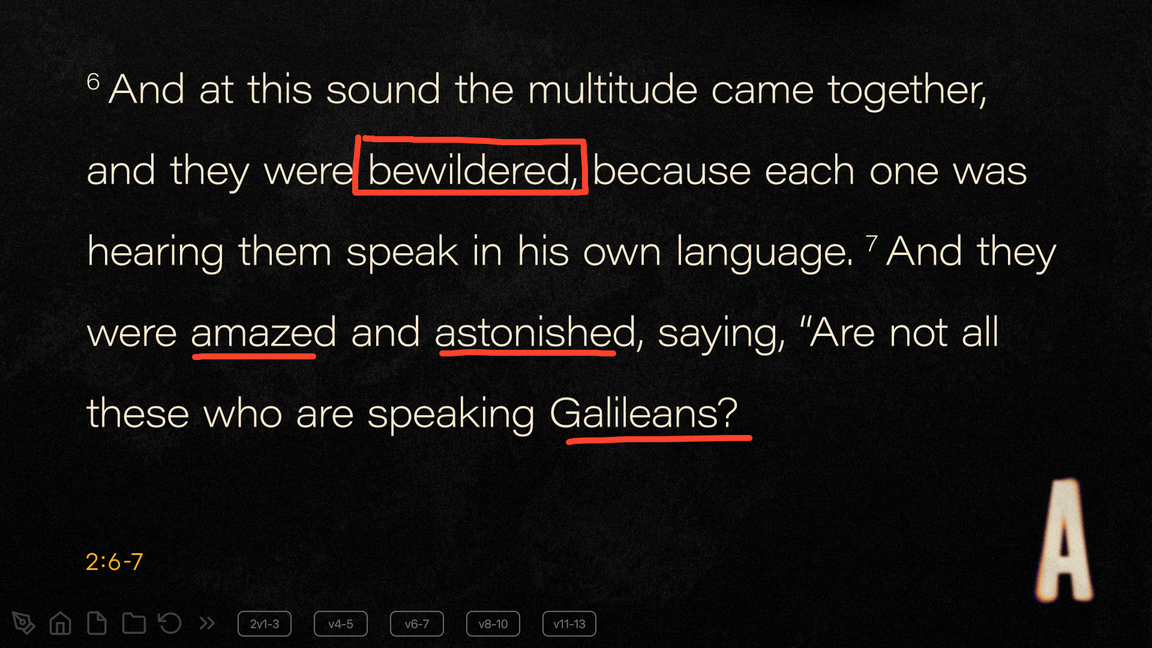
Built for the sermon, not the software.
Every design decision keeps attention on the Word being preached — not on tools, menus, or a spinning cursor.
MARKUP THAT FOLLOWS YOU
Every page keeps its marks
Markup and undo history live per page. Flip ahead to your next point, come back, and your underlines are exactly where you left them.
WHOLE BOOKS, NOT VERSES
Navigate like a Bible, not a slide deck
Load entire books of Scripture. Turn to any chapter mid-sermon — no pre-built cue list, no hunting for the right slide.
NOTHING ON SCREEN BUT THE WORD
Visible to you, not the audience.
Clean, minimal on-screen controls keep the congregation's focus on the text and your hand — never on toolbars.
AV-PRODUCTION DISCIPLINE
Air-gapped and interruption-proof
No network needed, no intrusive license checks, and it guards against accidentally exposing macOS to the room.
RUNS ON WHAT YOU HAVE
Any Mac on macOS 12, 8 GB
A universal build runs on Intel or Apple Silicon, so the Mac already in your booth is enough. No GPU shopping list.
TOUCH-FIRST
Any USB touchscreen or TV
Plug in a touch display at the pulpit and preach. Your finger is the whole toolkit.
PREPARE, THEN PREACH
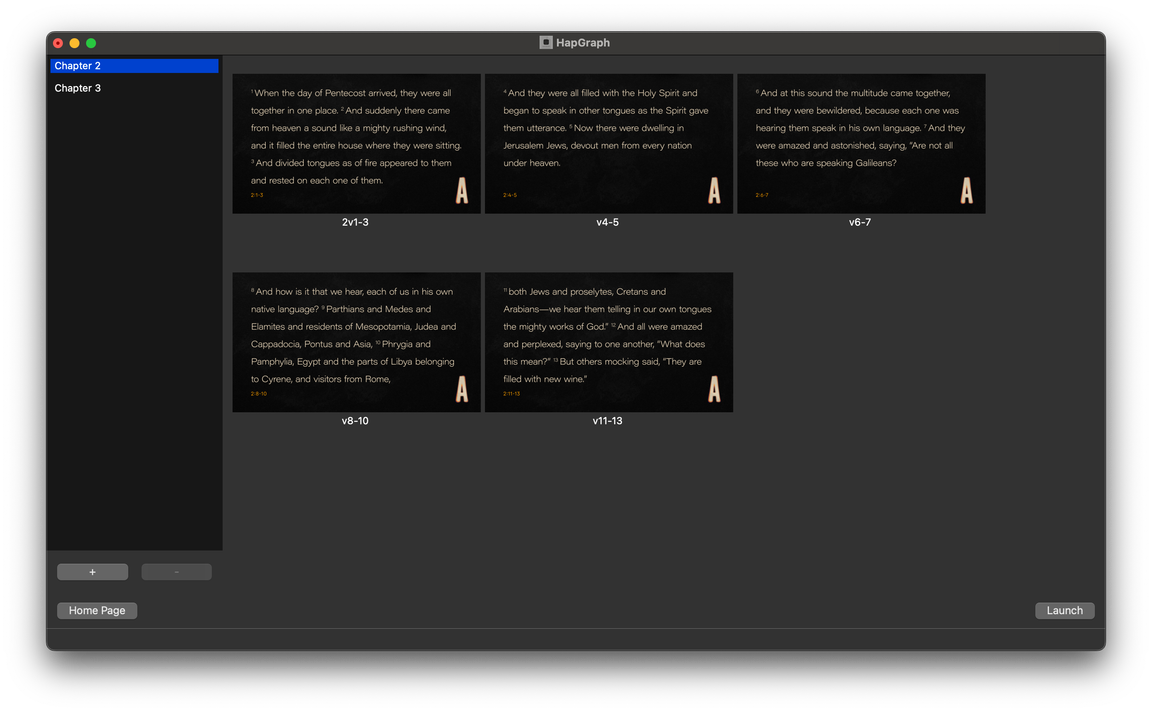
Lay out your pages in minutes.
The editor keeps preparation as simple as the pulpit: chapters on the left, your verse pages laid out like a proof sheet. Split passages where you'll pause, press Launch, and the room sees only the text.
IN THE ROOM
This is what the congregation sees.
A touchscreen on stage, the text large enough for the back row, and marks landing the moment the preacher's finger moves.
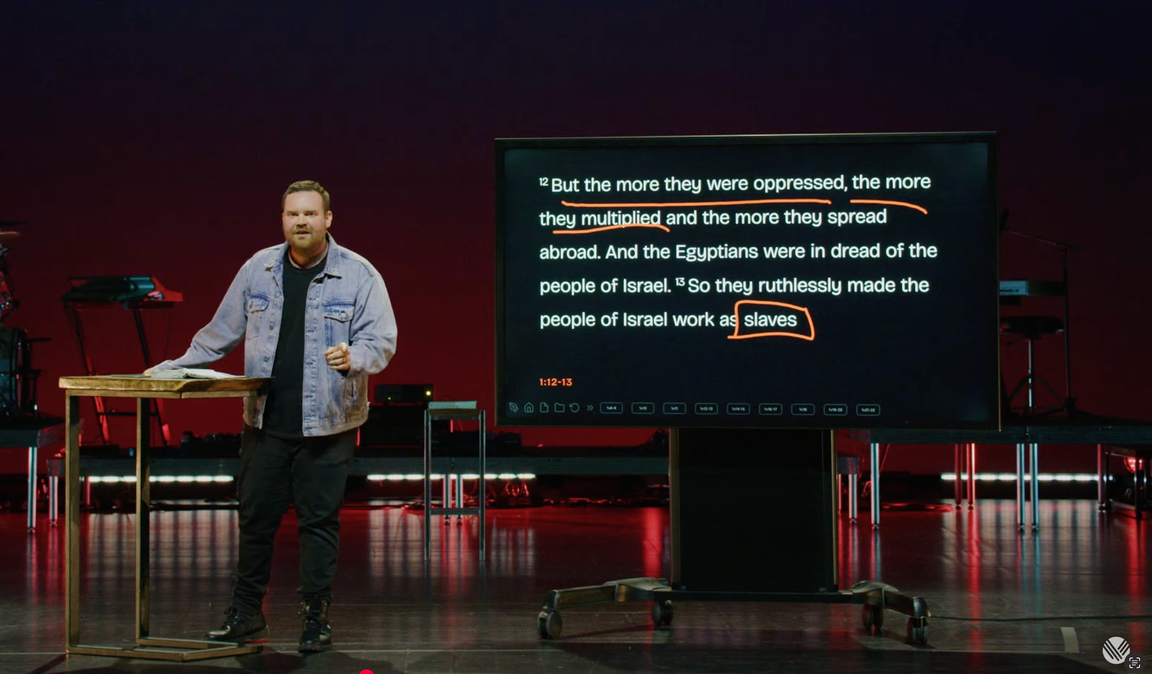
Marking up Exodus 1, mid-sermon.
Village Church, Surrey BC.
PROVEN IN WEEKLY SERVICES
“Two years of Sundays at Village Church — every sermon, every service, without a crash, a license prompt, or a distraction on screen.”
Village Church · Surrey, British Columbia · in production since 2024
For the tech director.
HapGraph is built on AV-production discipline: it assumes your booth is air-gapped, your Sunday has no room for surprises, and nobody wants macOS notifications on the big screen.
No network requirement. No phone-home license checks. No update nags mid-service. Set it up Thursday, trust it Sunday.
Download & test in demo modeSYSTEM REQUIREMENTS
Runs comfortably on a base-model M1 Mac mini with 8 GB — the machine most booths already own.
NO NETWORK, EVER
Fully offline by design
Install, activate, and run without internet. Nothing phones home — safe for an air-gapped booth Mac.
SDI TO THE SWITCHER
Clean feed via Blackmagic DeckLink
Output over a Blackmagic DeckLink card for a clean SDI feed straight to your production switcher — just the Word, no notifications, dock, or cursor.
LICENSING
Per machine, no activation server
A license file unlocks the app offline. If maintenance lapses, the app keeps working — you just stop getting updates.
UPDATES
On your schedule, never Sunday's
No auto-updates, no mid-service nags. Install a new version Thursday, test it, and trust it on Sunday.
TRY BEFORE YOU BUY
Demo mode is the full app
Every feature works unlicensed, with a small preview badge on the output. Test your exact booth setup for free.
SETUP
Plug in and pick a display
Any USB touchscreen or TV. Choose the congregation display in Settings, with an optional mirror on the operator's Mac.
Simple, per-machine licensing.
One license per Mac. Yearly maintenance keeps you current — the app keeps working either way. Checkout via Stripe.
Church & Non-profit
For registered churches, charities, and ministries.
$499 USD / machine
then $249 / year maintenance
Buy church licenseCommercial
For conferences, venues, and production companies.
$799 USD / machine
then $299 / year maintenance
Buy commercial licenseNot sure yet? Download the demo mode — free, fully offline, no sign-up.